Tools
Introduces the key features and usage of open source tools that generate and analyze AI SBOMs, with actual execution screens.
This section covers open source tools that automate AI SBOM compliance. It summarizes each tool’s key
features, installation, and usage together with actual execution results. This elaborates, tool by tool, on
the categories seen in the automation maturity map in 3.9 AI SBOM.
There is a boundary worth stating honestly. Tools generate a BOM automatically, but they cannot guarantee
that the license information in the generated BOM is accurate or that no components are missing. In the tool
comparison below, OWASP AIBOM Generator fills in license information from model cards, while cdxgen quickly
identifies dependencies but leaves the license field empty. Look at this difference when choosing a tool.
| Tool | Input | Output | Strengths | Covered In |
|---|
| OWASP AIBOM Generator | Hugging Face model ID | CycloneDX 1.6/1.7 | Model card and license metadata, completeness score | Go to section |
| cdxgen | Project directory, model files | CycloneDX | Automatic dependency identification, CI/CD integration | Go to section |
| Lab700x, Trivy, Syft | Model binaries, containers, virtual environments | Reports, SBOM | Static model analysis, inference server and package identification | Go to section |
Each tool automates part of the generation, analysis, or management stage. No single tool solves everything,
so combine tools that generate AI SBOMs (OWASP AIBOM Generator, cdxgen) with tools that analyze security
(Lab700x, Trivy) and a tool that manages them
(Dependency-Track).
1 - OWASP AIBOM Generator
Explains how to use the OWASP tool that generates a CycloneDX-format AI SBOM from a Hugging Face model and scores its completeness, together with actual execution screens.
Overview
OWASP AIBOM Generator is an open source tool that takes a Hugging Face model ID as input, fetches
model card metadata, and generates an AI SBOM in CycloneDX format. It is maintained by the OWASP
Gen AI Security Project, and its distinguishing feature is scoring how complete the generated BOM is.
Where cdxgen identifies dependencies quickly but leaves the license fields empty, this tool fills in
the license, author, and external references recorded in the model card. It works well as a
starting point for the license review required by
3.5 License Obligations.
Key Features
- Fetches metadata from Hugging Face models and generates an AIBOM in both CycloneDX 1.6 and 1.7
format.
- Evaluates the completeness of the generated BOM with a score (0–100) and a profile, broken down
section by section.
- Displays model information, the model card, license, and external references in a human-readable
view.
- Available both as a web UI and a command-line interface (CLI).
Usage A — Web UI
The simplest approach: just enter a model ID in the browser. Use the Hugging Face Space provided by
the OWASP Gen AI Security Project, or clone the repository and run it locally.
First, enter a Hugging Face model ID (e.g., facebook/bart-large-cnn) on the input screen and click
generate.
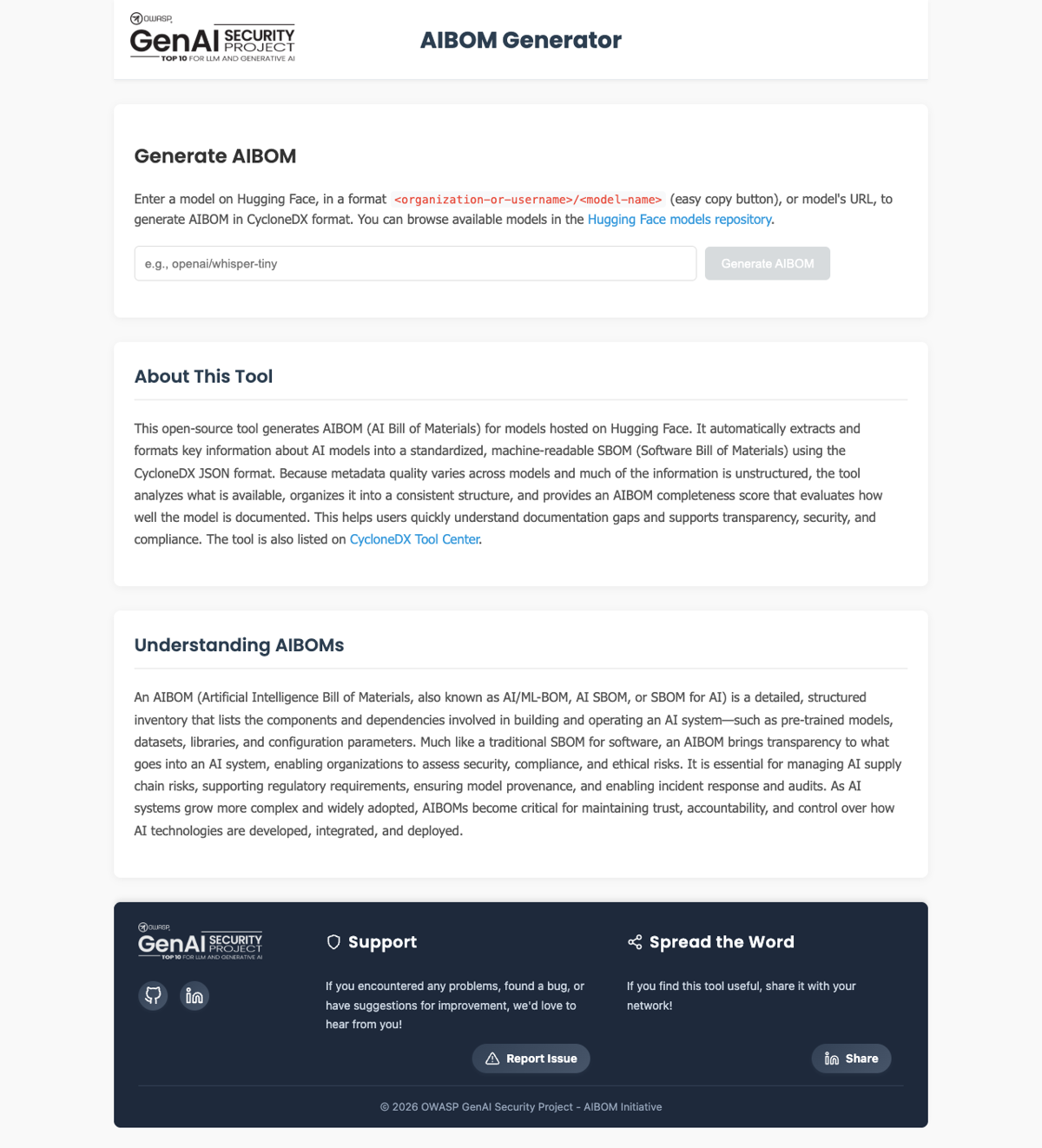
Figure 1. OWASP AIBOM Generator input screen (GenAI Security Project, captured 2026-06-13)
Once generation finishes, the result screen shows an AIBOM summary, the completeness assessment,
download buttons (CycloneDX 1.6 and 1.7), AI model information, and the model card. The completeness
assessment at the top of the screen shows at a glance whether the BOM has the minimum fields needed
for identification.
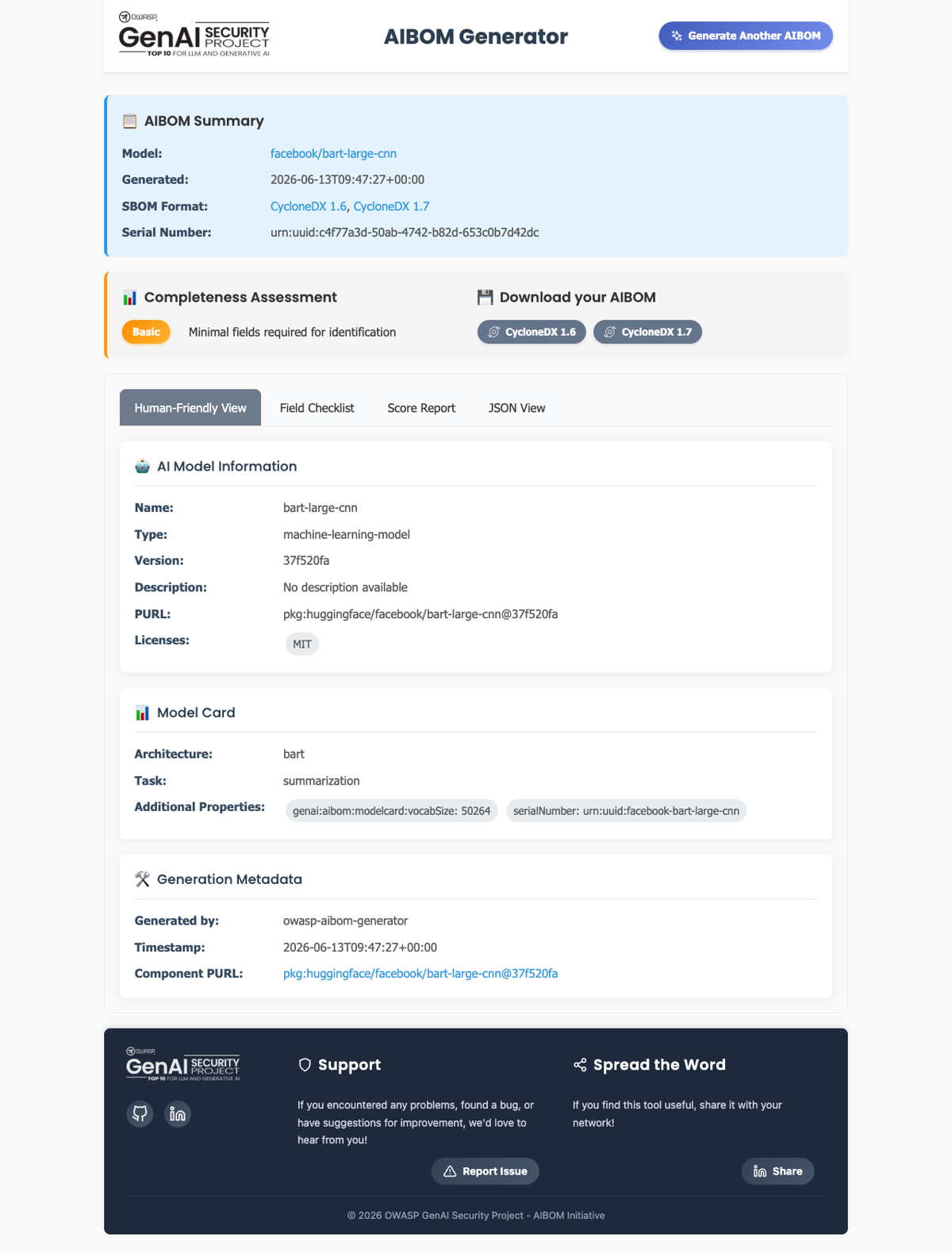
Figure 2. Generation result screen — model information, license (MIT), completeness assessment
(Basic) (captured 2026-06-13)
The result screen offers a Human-Friendly View along with a field checklist, a score report, and a
JSON view tab. Check the items needed for license obligation review and AI SBOM retention directly
on screen, and download the CycloneDX file.
Usage B — Command Line (CLI)
The CLI is convenient for embedding in CI/CD or batch-processing multiple models. After
installation, pass the model ID as an argument.
# Install (a Python virtual environment is recommended)
pip install "git+https://github.com/GenAI-Security-Project/aibom-generator"

# Generate an AIBOM from a model ID
aibom facebook/bart-large-cnn -o aibom.json
Below is the actual execution result. It generates CycloneDX 1.6 and 1.7, passes schema
validation, and shows the completeness score broken down by section.
$ aibom facebook/bart-large-cnn -o aibom.json

✅ Successfully generated CycloneDX 1.6 SBOM — Schema Validation (1.6): Valid
✅ Successfully generated CycloneDX 1.7 SBOM — Schema Validation (1.7): Valid

📊 Completeness Score: 58.7/100   Profile: Basic
   - Required Fields:        20/20
   - Metadata:                8/20
   - Component Basic:        17.1/20
   - Component Model Card:    6.7/30
   - External References:    10/10
Figure 3. CLI execution output (aibom CLI, model facebook/bart-large-cnn, run 2026-06-13)
The model component in the generated BOM has its license and model card filled in. Unlike cdxgen’s
output, the licenses field is not empty.
{
  "type": "machine-learning-model",
  "name": "bart-large-cnn",
  "purl": "pkg:huggingface/facebook/bart-large-cnn",
  "licenses": [{ "license": { "id": "MIT" } }],
  "authors": [{ "name": "facebook" }],
  "modelCard": { "modelParameters": { }, "considerations": { } }
}
What the Execution Result Shows
The completeness score depends on the quality of the input metadata
In the actual run, the completeness score was 58.7/100 (Basic). Required Fields and External
References scored full marks, but the model card score was low at 6.7/30. This is not a limitation
of the tool but a result of the model provider not filling in enough information in the Hugging
Face model card. The tool faithfully fetches whatever metadata exists, but it cannot invent
information that isn’t there. When the model card is sparse, a human must verify the source and
supplement it.
See Also
2 - cdxgen
Explains how to use the AI BOM mode of OWASP cdxgen, which generates a CycloneDX SBOM from projects and models, together with actual execution output.
Overview
cdxgen is the official SBOM generator of the OWASP CycloneDX project. It supports more than 20
languages and package managers, and the latest version offers a dedicated AI BOM mode. It
automatically identifies the dependencies of AI applications (PyTorch, Transformers, and so on) and
integrates well with CI/CD pipelines.
From an AI SBOM standpoint, cdxgen’s strength is speed and automation. Its weakness is that it does
not fill in license information in a default run. This trait shows up in the execution result below.
Where OWASP AIBOM Generator centers on model card metadata, cdxgen centers on code and dependencies.
Using both together covers both models and dependencies.
Key Features
- Identifies dependencies from source code and container images to generate a CycloneDX SBOM.
- Includes AI/ML metadata (formulation) with AI BOM mode (
-t ai). - Takes Hugging Face model URLs, Modelfiles, and GGUF artifacts directly as input.
- Automatically submits SBOMs to a Dependency-Track server for continuous management.
Installation
# One-off run (requires Node.js)
npx @cyclonedx/cdxgen@latest --version

# Global install
npm install -g @cyclonedx/cdxgen
Usage — Generating an AI BOM
Run in AI BOM mode from the AI project directory.
# Generate an AI BOM
cdxgen -t ai -o aibom.json .

# Generate including AI/ML metadata (formulation)
cdxgen -t ai --include-formulation -o aibom.json .
Below is the actual result of running cdxgen against a summarization app (transformers, torch
dependencies) that loads a pretrained model (facebook/bart-large-cnn). It automatically identifies
5 dependencies and produces a CycloneDX 1.7 BOM.
$ cdxgen -t python --include-formulation -o aibom.json .
CycloneDX Generator 12.5.1 (Node.js)

Generated components — 5 entries (CycloneDX 1.7):
  transformers     4.44.2    pkg:pypi/transformers@4.44.2      license: empty
  torch            2.4.0     pkg:pypi/torch@2.4.0             license: empty
  numpy            1.26.4    pkg:pypi/numpy@1.26.4            license: empty
  tokenizers       0.19.1    pkg:pypi/tokenizers@0.19.1       license: empty
  huggingface-hub  0.24.6    pkg:pypi/huggingface-hub@0.24.6   license: empty
Figure 1. cdxgen execution output (cdxgen 12.5.1, run 2026-06-13)
One of the generated components looks like this. The identification evidence is filled in, but the
licenses field is empty.
{
  "name": "transformers",
  "version": "4.44.2",
  "purl": "pkg:pypi/transformers@4.44.2",
  "type": "library",
  "evidence": {
    "identity": [
      { "field": "purl", "confidence": 0.5,
        "methods": [{ "technique": "manifest-analysis", "value": "requirements.txt" }] }
    ]
  }
}
What the Execution Result Shows
cdxgen identifies quickly, but a human must fill in the license
cdxgen quickly identified 5 dependencies from requirements.txt, but the licenses field of each
component is empty. Also, the pretrained model facebook/bart-large-cnn that the app loads was not
captured in the BOM by code scanning alone. It must be collected separately as inbound material and
added. A realistic combination is to build the dependency skeleton quickly with cdxgen, have a human
verify and fill in the licenses, and generate the model separately with OWASP AIBOM Generator before
merging.
See Also
3 - Model and Container Scanners (Lab700x, Trivy, Syft)
Introduces the key features and usage of security scanners that analyze AI model binaries, inference servers, and AI packages.
This page introduces analysis and identification tools that complement AI SBOM generation. Where
the generation tools (OWASP AIBOM Generator, cdxgen) record “what is in it,” these tools look at
“whether it is safe” and “what version it is.” The commands and features below are organized based
on each tool’s official documentation (the tools actually run in this guide are
OWASP AIBOM Generator and cdxgen).
Lab700x AI SBOM Scanner — Static Analysis of Model Binaries
A tool that statically analyzes AI model files themselves to extract information. It performs deep
introspection on model binaries such as .safetensors, .pt (PyTorch), and .pkl (Pickle) without
executing them.
- Key features: Because it examines internal structure without executing the model, it can
detect malicious code hidden in a model file (such as Pickle injection), vulnerabilities, or
license violations before deployment.
- Role in AI SBOM: Used to inspect externally sourced models at the intake gate. Combined with
the inbound metadata enforcement of
3.5 License Obligations, it lets metadata
verification and binary safety checking be performed together.
Pickle-format models carry a significant supply-chain risk because arbitrary code can execute during
deserialization. Inspecting the model without executing it is the core of this tool.
Trivy — Scanning LLM Inference Server Containers
An open source scanner from Aqua Security that checks vulnerabilities in container images and
filesystems. It recently added awareness of AI model infrastructure.
- Key features: Scans LLM inference server containers such as Ollama and LocalAI to collect the
open source libraries they contain and their container vulnerabilities.
- Usage:
# Scan a container image (vulnerabilities)
trivy image ollama/ollama:latest

# Generate an SBOM (CycloneDX)
trivy image --format cyclonedx --output sbom.json ollama/ollama:latest
Used in environments that deploy AI models as containers, to leave a record of the inference
server’s vulnerabilities and components as an SBOM.
Syft — Identifying AI Packages and Virtual Environments
An SBOM generator from Anchore that scans containers, filesystems, and virtual environments.
- Key features: Analyzes Python virtual environments to collect the exact versions of packages
used to run AI, such as PyTorch and Transformers. Outputs in SPDX and CycloneDX format.
- Usage:
# Scan a directory and output CycloneDX
syft scan dir:. -o cyclonedx-json=sbom.json

# Scan a container image
syft scan registry:python:3.11-slim -o spdx-json
Its role overlaps with cdxgen’s, so an organization already using the Anchore toolset (Syft, Grype)
would naturally generate the dependency SBOM of an AI application with Syft and check vulnerabilities
with Grype.
No single tool solves everything. In practice, combine tools by dividing up their roles.
| Purpose | Tool |
|---|
| Model metadata AIBOM generation | OWASP AIBOM Generator |
| Dependency SBOM generation | cdxgen, Syft |
| Model binary safety inspection | Lab700x AI SBOM Scanner |
| Inference server / container vulnerabilities | Trivy |
| SBOM storage and vulnerability monitoring | Dependency-Track |
See Also